Preview before you publish
Studio is built for collaboration. Edits sync automatically across your team, so no one has to save. Until now, those edits also reached visitors the moment you made them.
This is why we're releasing Preview mode, adding a step between editing and publishing.
Two audiences, one Studio
Studio now lets you keep different versions of your content in parallel. Visitor see the published version, while you can preview changes behind the scenes. Preview changes still update in real-time, they just don't reach visitors until you think they're ready.
The review step
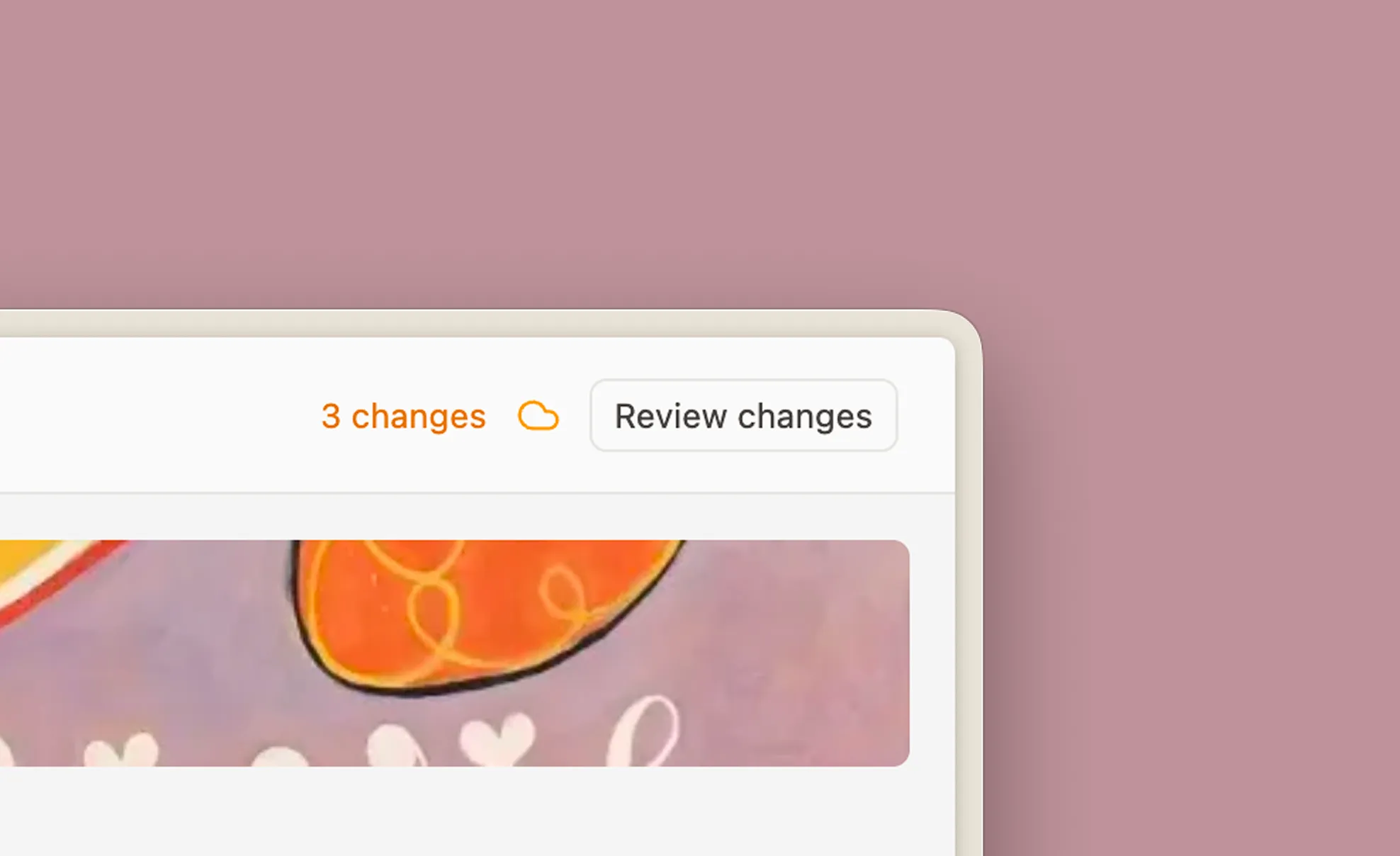
A counter in the top-right corner tracks pending changes. Hover it for the Review button, step through each change in the timeline, and release them with confidence.
All published
Preview changes in tour
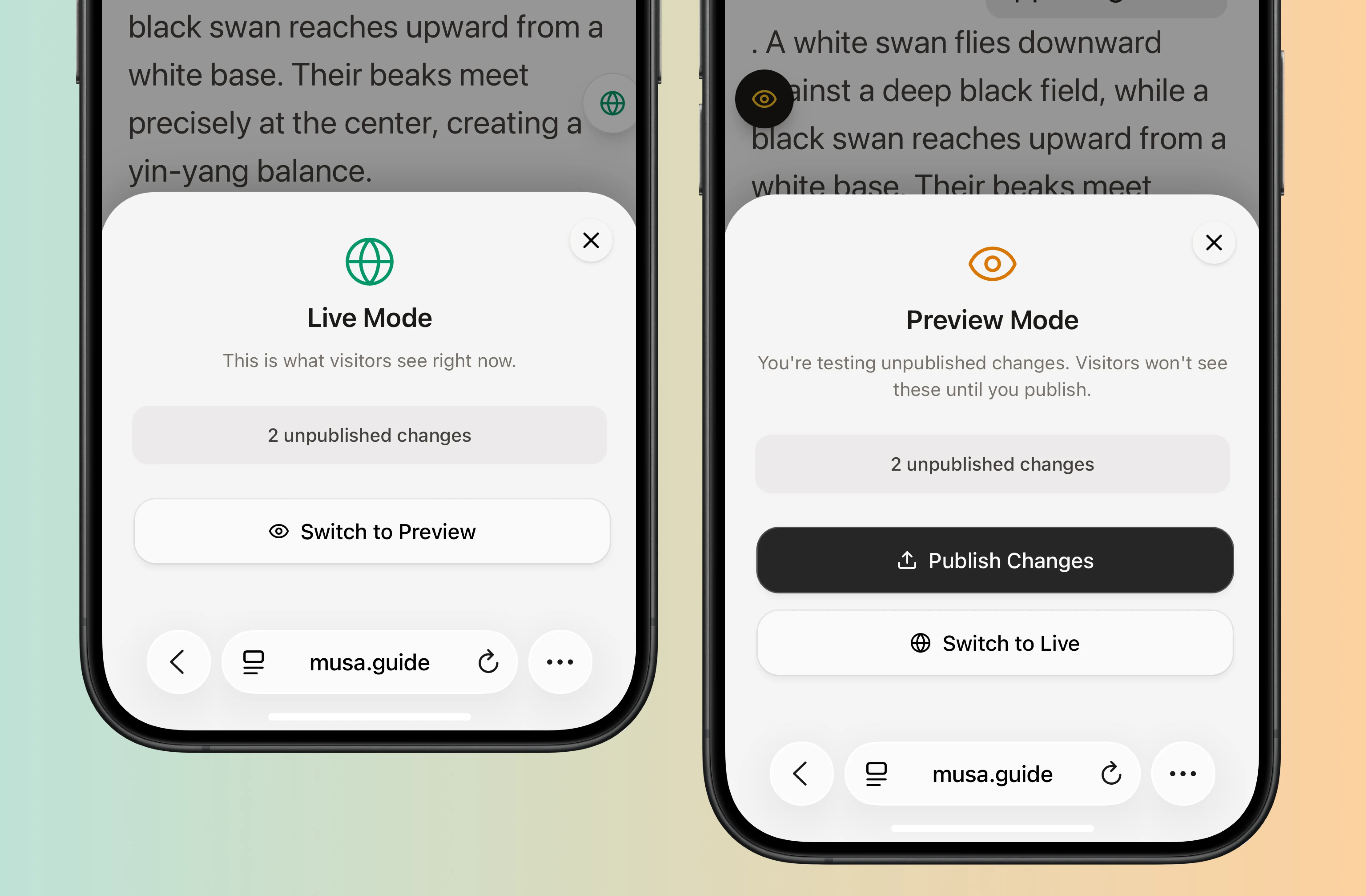
On the tour app, studio members now see a floating pill that lets you switch between live and preview content. Tap it to open a drawer and publish changes straight from your phone.
Working in larger teams
Version history has been part of Studio for a while, allowing you to work without friction and easily undo changes. Previews are the extension of this. Curators can review each other's work before anything is published, several people can work on the same tour at once, and A/B testing against live audiences becomes a real option.
We're excited to see how you use Previews in Studio. As always, reach out if you have any questions or ideas!